ESA is about a modeling approach. Agile ESA is meant to explicitly convey architectural intent, and the simple modeling forces you to think succinctly and holistically.
The tool offers both standard and lean modes. Here are the available ESA tools for quick usage.
ArchView (AI Skill Tool)
The download link: https://archview.github.io/skill/
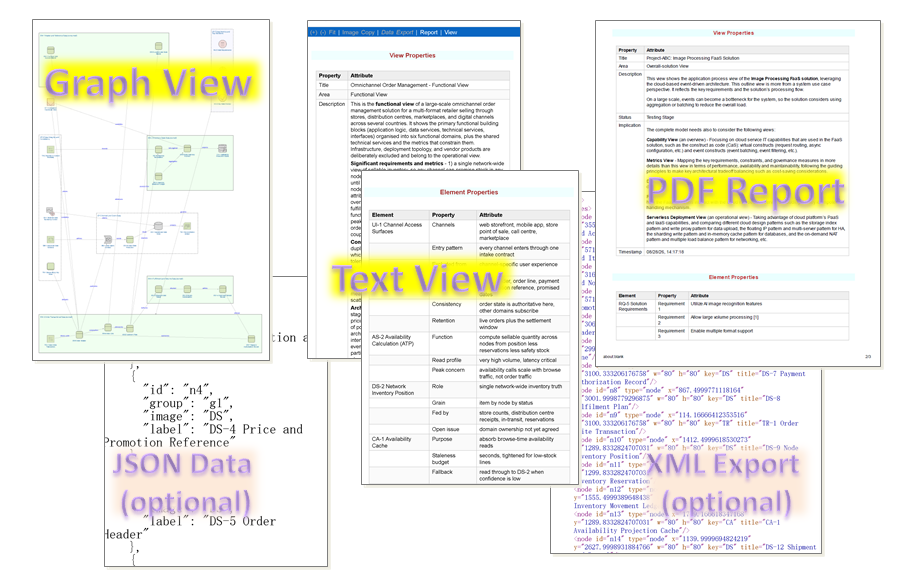
ArchView generates IT architecture diagrams and model views in a node-image style. Ask for an architecture diagram, a solution architecture view, an enterprise architecture model, or simply “visualize this system’s architecture,” and ArchView maps your solution onto a set of ESA elements (services, data stores, gateways, roles, and more), then generates a self-contained HTML view with zoom, PNG/PDF export, and a properties panel.
Online ESA Tool
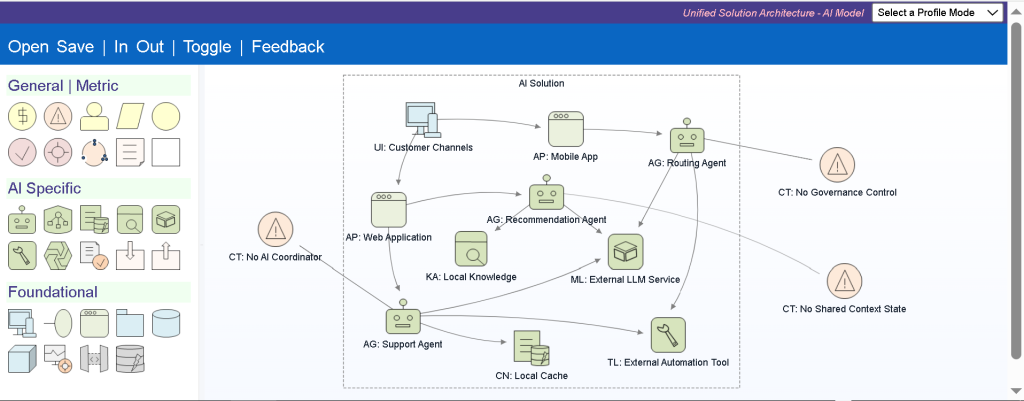
The online link provides a simple yet unified architectural model with different profile modes for common viewpoints, including EA (enterprise architecture), BA (business architecture), Infra (infrastructure architecture), SWA (software architecture), SWD (UML-like software design), AI (AI solution architecture), integration architecture, and scalability architecture. It also offers a lean mode for quick, hands-on.
Here is the web version link of the diagram tool: diagram.a-esa.com.
The following illustrates a simple AI solution view diagram through the AI profile modeling.
Windows App Download
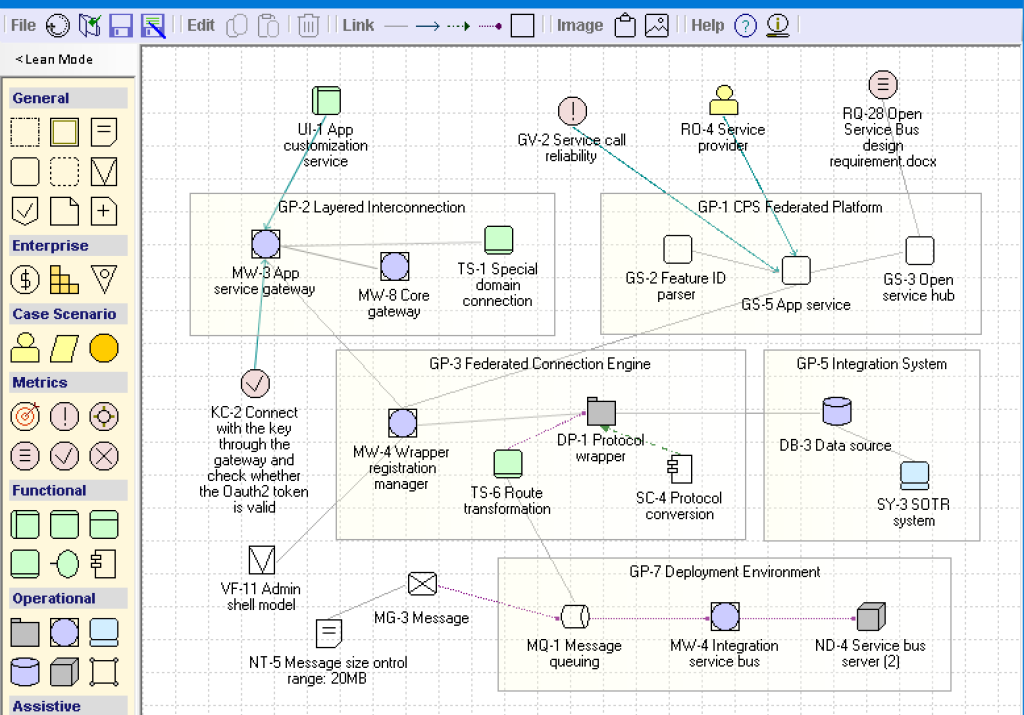
The A-ESA Windows app tool (free from the Microsoft Store) can be downloaded from the request at the bottom.
Here is a standard mode screenshot (the earlier version):
The ESA can be customized to better fit your agile solution requirements. For A-ESA tool support queries, please contact us at support@a-esa.com.
Checking…
Retry »
Sending message…
Download Request for A-ESA Tool
Fill in the form below to receive the download link